AudioVisual Tagger
AI-Powered Video Analysis & Metadata Generation
Overview
AudioVisual Tagger is a local web application that uses AI to analyse video files and automatically generate useful metadata in minutes.
Users can upload videos and quickly produce transcripts, summaries, object tags, and descriptions of what is happening visually on screen.
The tool is designed to save time for creators, editors, archivists, and organisations that work with large volumes of video content.
Key Features
- Automatic object detection from video frames
- AI-generated visual scene descriptions
- Full transcripts generated from speech
- Clear audio summaries based on transcripts
- Batch processing for analysing multiple videos
- Runs locally through a simple browser interface
Video Demonstration
This video demonstrates the audio summarisation feature using Abraham Lincoln’s Gettysburg Address.
Video processing has been sped up for demonstration purposes. Actual processing time depends on video length and selected analysis.
Example Output
Example of the Object Detection feature using Disney's "Steamboat Willie".
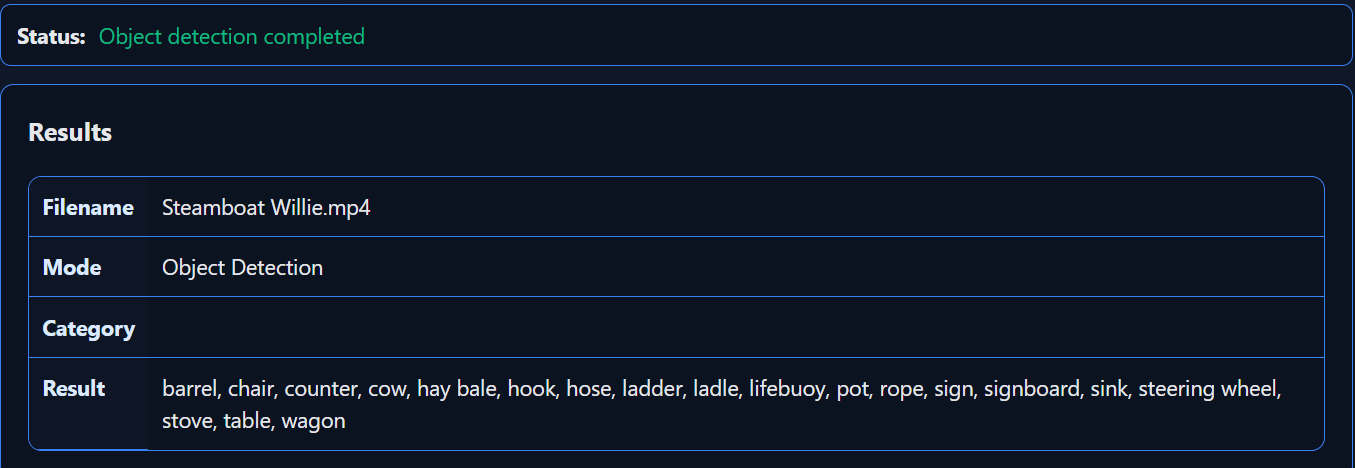
Object Detection analysis of "Steamboat Willie" (1928)
Setup Requirements
AudioVisual Tagger uses external AI services for analysis. To run the application you will need two API keys:
- OpenRouter – used for visual analysis and summaries
- AssemblyAI – used for generating transcripts
These keys are added to the included .env configuration file after downloading the application.
OpenRouter charges per request depending on the AI model used. Costs are typically very small (often less than a penny per request), but heavy usage may incur charges depending on the model selected.
How to create an OpenRouter API key:
How to create an AssemblyAI API key:
System Tray Behaviour
When running, AudioVisual Tagger places an icon in your system tray. The application continues running in the background even if the main window is closed.
You can reopen the interface by visiting localhost:5000 in your browser.
To fully close the program, right-click the tray icon and select Quit.

Example of the AudioVisual Tagger system tray icon.